
Updated: October 26, 2026
The problem the slate solves
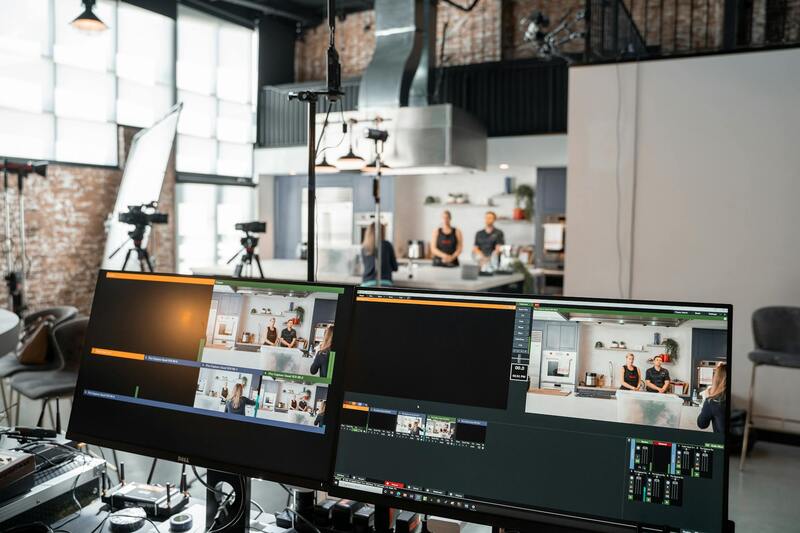
Almost every Miami shoot records picture and sound on separate devices, and many record picture on two or three cameras at once. Every one of those devices has its own clock. Left alone, they drift apart by frames over an hour, and the editor spends a day lining up clips by eye. Timecode and the slate are the two tools that keep the devices in step, and they are cheap, quick and routinely skipped on small shoots where they would have saved the most time. This guide explains what timecode is, how it is distributed on set, what the slate adds, and how to set up a multi-camera Miami shoot so that the edit starts on day one, not day three.
Timecode in one paragraph
Timecode is a running clock stamped into every frame of every recording, in hours, minutes, seconds and frames. If two cameras and a sound recorder all carry the same timecode, any clip from any of them can be placed on a timeline at the right moment automatically. The clock is usually set to time of day, so a clip labelled 14:23:10:05 was recorded at 2.23 pm and 5 frames. The frame rate of the timecode must match the frame rate of the recordings; a 23.976 shoot uses 23.976 timecode, and a mismatch is one of the classic sources of drift. Our guide to choosing a frame rate covers the numbers.
Getting the same clock into every device
Three ways exist, and which one a shoot uses depends on the gear and the budget.
Jam sync
One device is the master, usually the sound recorder. Each camera is connected to it by cable for a few seconds and takes the time; the camera's internal clock then runs on its own. Cheap and simple, but camera clocks drift, so the jam has to be repeated every few hours, after every battery change, and after any power-off. On a hot Miami exterior, where cameras are powered down to cool and batteries are swapped often, this gets forgotten.
Timecode boxes
Small battery-powered generators, one attached to each camera and one to the recorder, all synced to each other by radio or by a jam at the start of the day. Each box feeds accurate timecode to its device continuously, and the devices no longer rely on their own clocks. This is the standard for multi-camera work and for anything with mirrorless or DSLR cameras, which have poor internal clocks and often no timecode input; the box's signal goes in through the audio track and is decoded in post.
Cabled or wireless distribution
On a studio or a controlled set, timecode can be run by cable from a master generator to every device, or over a wireless link. Rare on Miami location work because of the cabling; common on multi-camera live events and studio shoots.
What the slate adds
Even with perfect timecode, the slate does three things nothing else does.
- Identifies the shot. Scene, shot, take, roll, date, director, DP, camera letter. The editor can find "scene 12, take 3" without a spreadsheet, and the script supervisor's notes refer to the same numbers. Our piece on multi-format shooting shows why clear naming matters when one shot becomes five deliverables.
- Gives a visual and audible sync point. The clap is a backup for timecode. When a timecode box failed, a battery died, or a device was never jammed, the clap is what saves the day.
- Displays the timecode. A smart slate (a slate with a timecode display) shows the running code on its face, so the camera records both the clap and the exact number at the moment of the clap. If anything drifts, the editor can correct it to the frame.
The slate is also where MOS (no sound), tail slates (slated at the end of the take, held upside down) and second sticks (a repeated clap after a bad one) are recorded. These conventions exist because editors need them; use them.
A setup that works for a two- or three-camera Miami shoot
- Decide the project frame rate and set every device to it, including the timecode boxes and the sound recorder.
- Set the master (the recorder or the first box) to time of day. Sync all other boxes to it at the start of the day; check the sync display on each.
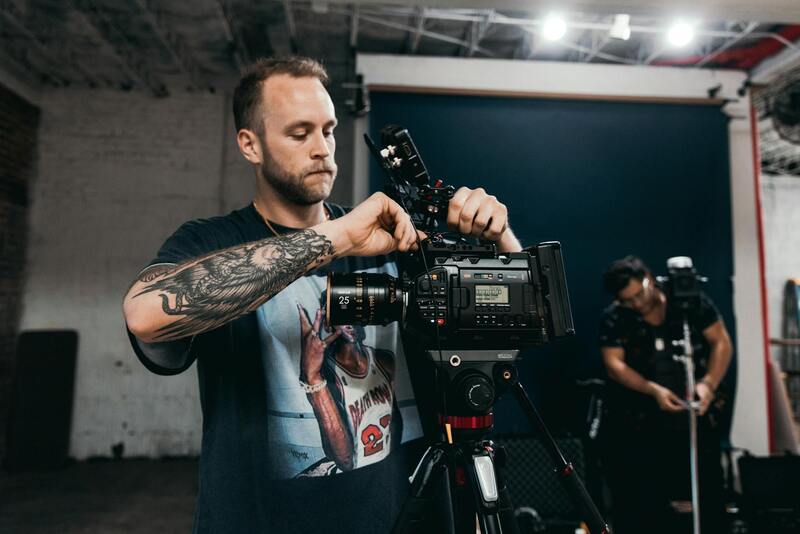
- Attach a box to every camera. On cinema cameras, feed the timecode input. On mirrorless cameras, feed it into one audio channel and set the input level so it does not distort.
- Assign camera letters (A, B, C) and write them on the slate and in each camera's clip naming so the files sort correctly.
- Slate every take with a clap, in front of whichever camera can see it, and announce the scene and take out loud so the recorder has it.
- Re-check sync after lunch, after any device has been off, and after any long break. In Miami heat, that means after every cooling-down period.
- At wrap, the DIT or the editor confirms in software that all clips align before the cards are wiped. Our guide to on-set data management covers that step.
Common failures and their fixes
- Drift by a few frames per hour: a frame rate mismatch between devices, or a camera running on its own clock. Fix the rate; use boxes.
- One camera an hour off: a device set to a different time zone or to record-run instead of free-run. Check the settings, re-jam.
- Sound and picture align at the start of a take but not at the end: the camera is recording at a different rate from what it says (variable frame rate on a consumer camera), or the audio was recorded at a mismatched sample rate. Fix in the settings; use the clap to correct what has already been shot.
- No timecode at all on a device: the clap and the audio waveform can still sync clips automatically in most editing software, as long as every camera recorded scratch audio. Always record camera audio, even when it will be discarded.
Sync done properly with Miami Production Experts
Every multi-camera shoot we run has timecode boxes on all cameras and the recorder, a smart slate on every take, camera letters in the file names, and a sync check by the DIT before any card is cleared. It adds a few minutes to the morning and removes days from the edit. If you are planning a multi-camera shoot or an interview with separate sound and want it set up correctly, get in touch. More about our camera and sound department is on the about page, and the rest of our gear guides are on the blog.